


PO-2026-0031+GRN-0042vsINV-2026-0018
Romaine heartsLine 1 of 1
OrderReceiptInvoice
Cases403440
Price$28.50$28.50$31.20
Total$1,140$969$1,248
Held at the matchPay $969 $1,248
Quantity and price both failed. Payment waits for a corrected invoice.
Stop paying more than you agreed.
Invoices creep above contract. Short deliveries get billed in full. Every site keeps its own spreadsheet. Bollard checks each order from request to payment, and Safock sets it up around how you already work.
Between the order and the payment
Five places money slips away across sites, and what Bollard does about each.
Sites buy on their own
Orders go out with no sign-off, or get split to stay under the limit.
Approved before it's ordered
Every request goes to the right approver, by role and by limit.
Billed above the agreed price
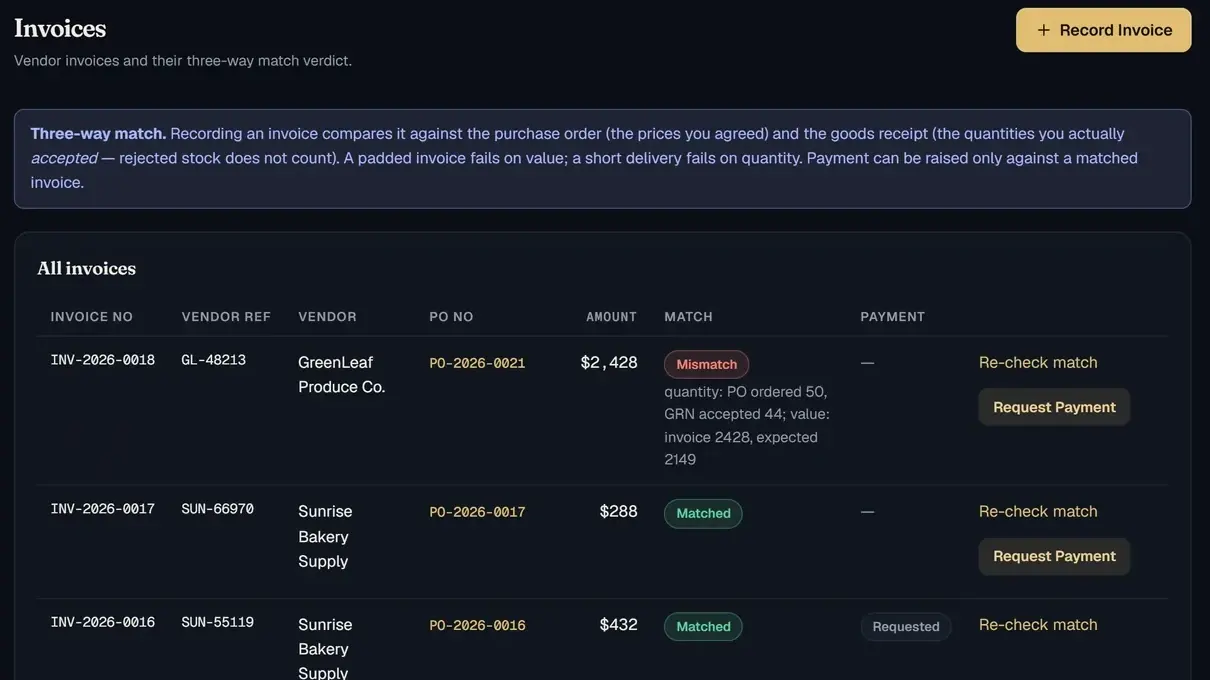
$31.20 a case on the invoice. $28.50 in the contract.
Matched before it's paid
Order, receipt and invoice must agree, or the payment is held.
Billed 40, delivered 34
Short deliveries get paid in full.
Counted at the door
Rejected items never enter stock or the bill.
A spreadsheet per site
Nobody sees spend across every location.
One system for every site
Every order, receipt and invoice in one place.
Out here, overstocked there
One site runs dry while another sits on surplus.
Moved, not re-bought
Transfers from the central store, tracked until received.
Every module writes to the same record, so the price agreed on the order is the price checked at payment, and every step in between is on file.
Romaine heartsLine 1 of 1
Held at the matchPay $969 $1,248
Quantity and price both failed. Payment waits for a corrected invoice.
Estimated$1,314.00
PO-2026-0031GreenLeaf
Romaine hearts $28.50
GRN-0042 · against PO-003140 expected
34 accepted$969.00
6 rejected46°F
Kept off the bill$171.00 never billed
12 casesIn transit
Append-only log Live
Most rollouts stall when staff drift back to email and spreadsheets. Safock delivers Bollard step by step, proves it on one site, then stays on after go-live.
Working sessions on how you buy, approve, receive and pay, site by site.
A map of your process and where it leaks
Your sites, roles, approval limits, numbering and your own words for things.
Bollard set up to match how you work
Item master, vendors, contract prices and opening stock, cleaned and checked.
Your data loaded and reconciled before day one
Accounting and sign-on connections, scoped with you and agreed in writing.
Connections agreed, nothing assumed
Short sessions per role: requesters, approvers, store staff and finance.
Every person confident in their part
One site runs real orders while we watch, measure and adjust.
Proof on your own orders
The remaining sites join in waves on the same setup.
Every site live on one record
Safock stays on: new sites, new rules and new lines as you grow.
A partner after go-live, not a handover
Same platform underneath. Your sites, roles and approval limits on top, in the words your team already uses.
bAll units
KOR-2026-0026New kitchen order
Harbour View · Carlos Mendez, head chef
Poultry, dairy, fresh produce
$2,180
Something else on your mind? Ask us directly.
No. We configure Bollard around your current process: what you call your sites, who approves what, at which amounts, and which store supplies which site. Your team sees its own words on screen from day one.
Any organisation that buys and stores goods across more than one site. Bollard is set up for education, food service and contract dining, healthcare clinic networks, specialty retail and civil construction, and we configure it the same way for other multi-site operations.
A discovery call to map how you buy today, then we configure your sites, roles, approval limits, item master and vendors. You run real orders at one site first, and we add the rest once that site is happy.
Yes. Access rules are enforced in the database itself, not just hidden in the interface. A site manager sees their site; head office and finance see the network.
Tell us what you use on the discovery call. Integrations are scoped per customer, so we'll say plainly what connects out of the box and what we would build.
Pricing depends on the number of sites and how much configuration you need. We'll give you a written quote after the discovery call, before you commit to anything.
Ask Bollard questions in plain language, such as which invoices failed the match this month or what's below reorder level at a site. It answers from your live data and only shows what your role is allowed to see.
Tell us how you buy and store today. We'll show you Bollard set up with your sites, roles and approval rules, and where it would hold a payment.